Skip to content
Husain Bootwala
05Shipped

Laundry Tracker

Barcode-tracked garment intake for a laundry that was running on memory and paper slips

Channel
05
Period
2025
Domain
Software
Role
Sole engineer: data model, backend, counter UI, barcode and receipt pipeline, Windows packaging

Stack

  • FastAPI
  • Python
  • SQLAlchemy
  • Supabase / PostgreSQL
  • Jinja2
  • Barcode generation
  • WhatsApp automation
  • PyInstaller

The problem

A laundry handling dozens of households a day tracks garments by memory, chalk marks and paper slips. Items get separated from their batch. When a customer says a shirt is missing, there is no record on either side. Two people have different recollections, and the shop pays for the shirt to keep the customer.

What I built

Every item gets a printed barcode at intake, bound to a household. The counter UI creates or looks up a household, adds items with their type, and prints a receipt matching the format the shop already used. Status moves with the garment through the shop, and the customer gets a WhatsApp update that the system composes and a person sends.

The constraint that shaped it

The shop counter is one Windows PC, run by staff who are not going to install Python, and the internet connection is not guaranteed.

That drove the architecture. The application is a FastAPI service with server-rendered pages, so there is no build step and no node_modules on a shop counter. PyInstaller packages it into an executable with a launcher, so it starts from an icon on the desktop. Postgres lives in Supabase so the data survives the machine.

This is the least technically ambitious project here and the one I learned the most from, because the hard constraints were all non-technical: what the staff will tolerate, what breaks when the shop is busy, and how a system fails when the person using it is in a hurry.

Media
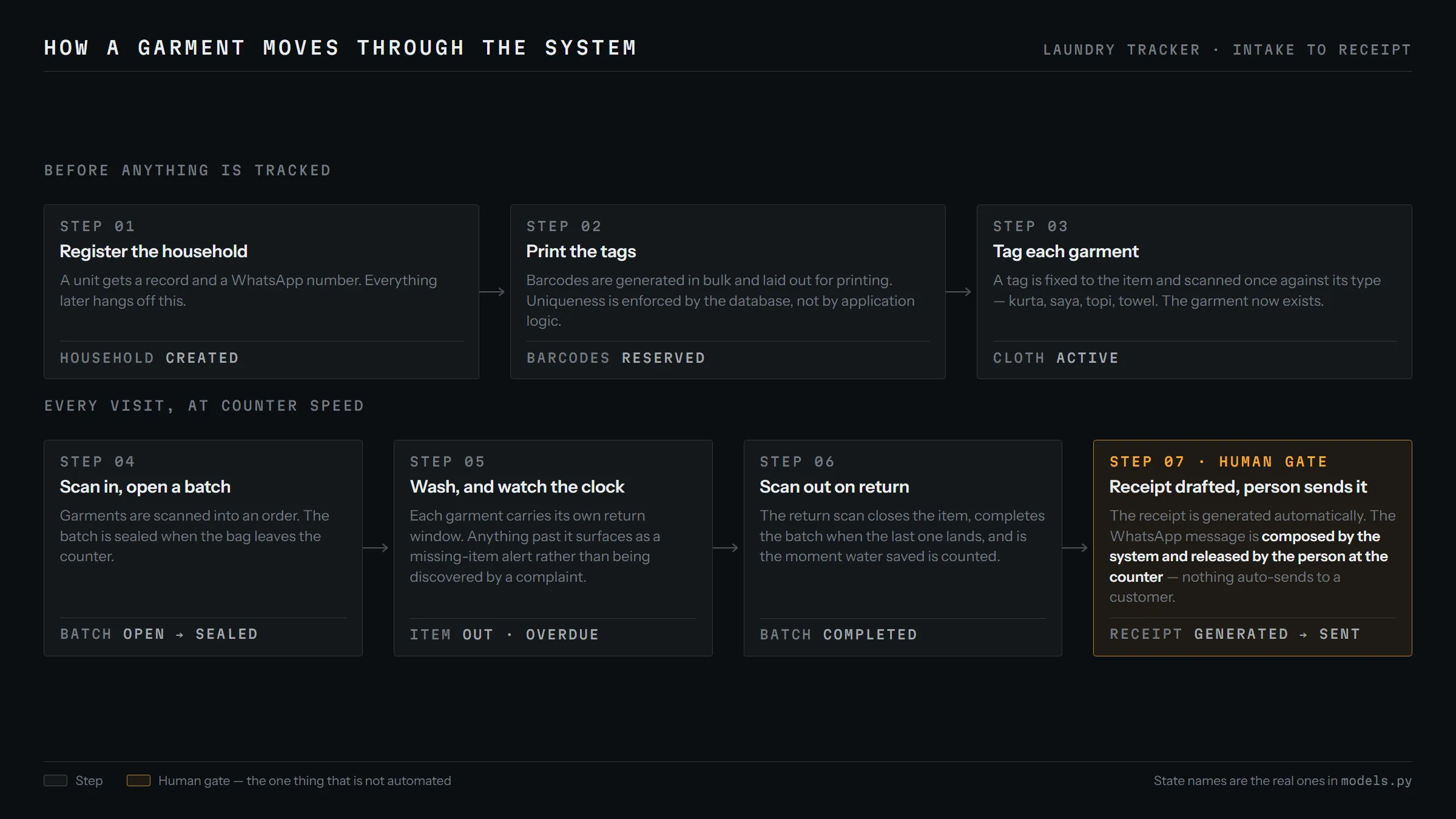
A seven-step flow in two lanes. Before anything is tracked: register the household, print the barcode tags, tag each garment. Then, every visit: scan garments into a batch and seal it, wash while each garment's return window runs, scan out on return, which completes the batch and is when water saved is counted, and finally generate the receipt. The last step is highlighted as a human gate: the WhatsApp message is composed by the system but released by the person at the counter. Each step is labelled with the record state it produces.
Diagram · How a garment moves through the system, and the one step that stays human
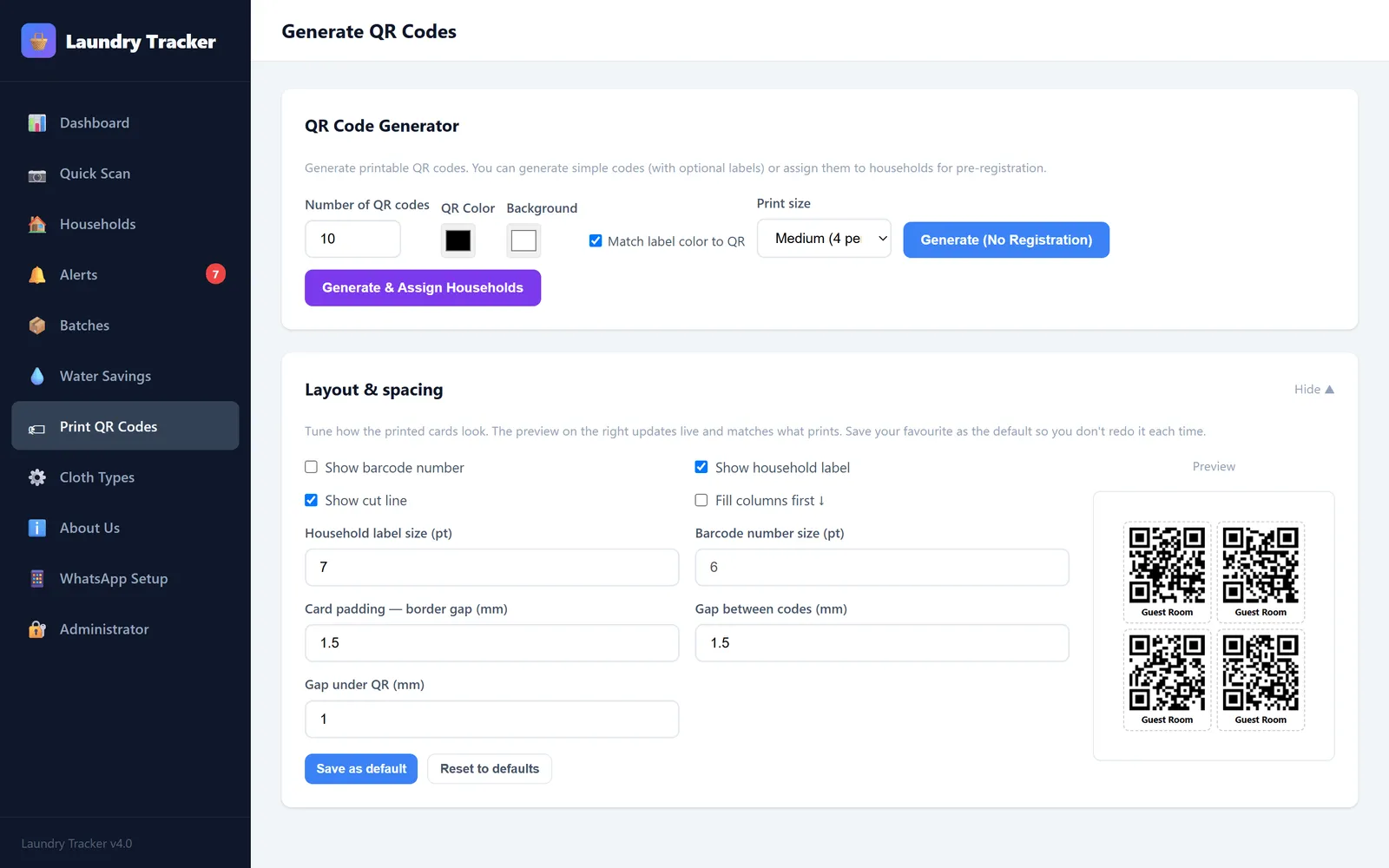
The Generate QR Codes screen. A generator sets how many codes to make, their colour and print size, with buttons to generate plain codes or generate and assign them to households. Below it a layout panel tunes label size, card padding, gap between codes and cut lines, beside a live preview of the printed sheet showing four QR cards.
Screen capture · Tags are generated and laid out for printing inside the app
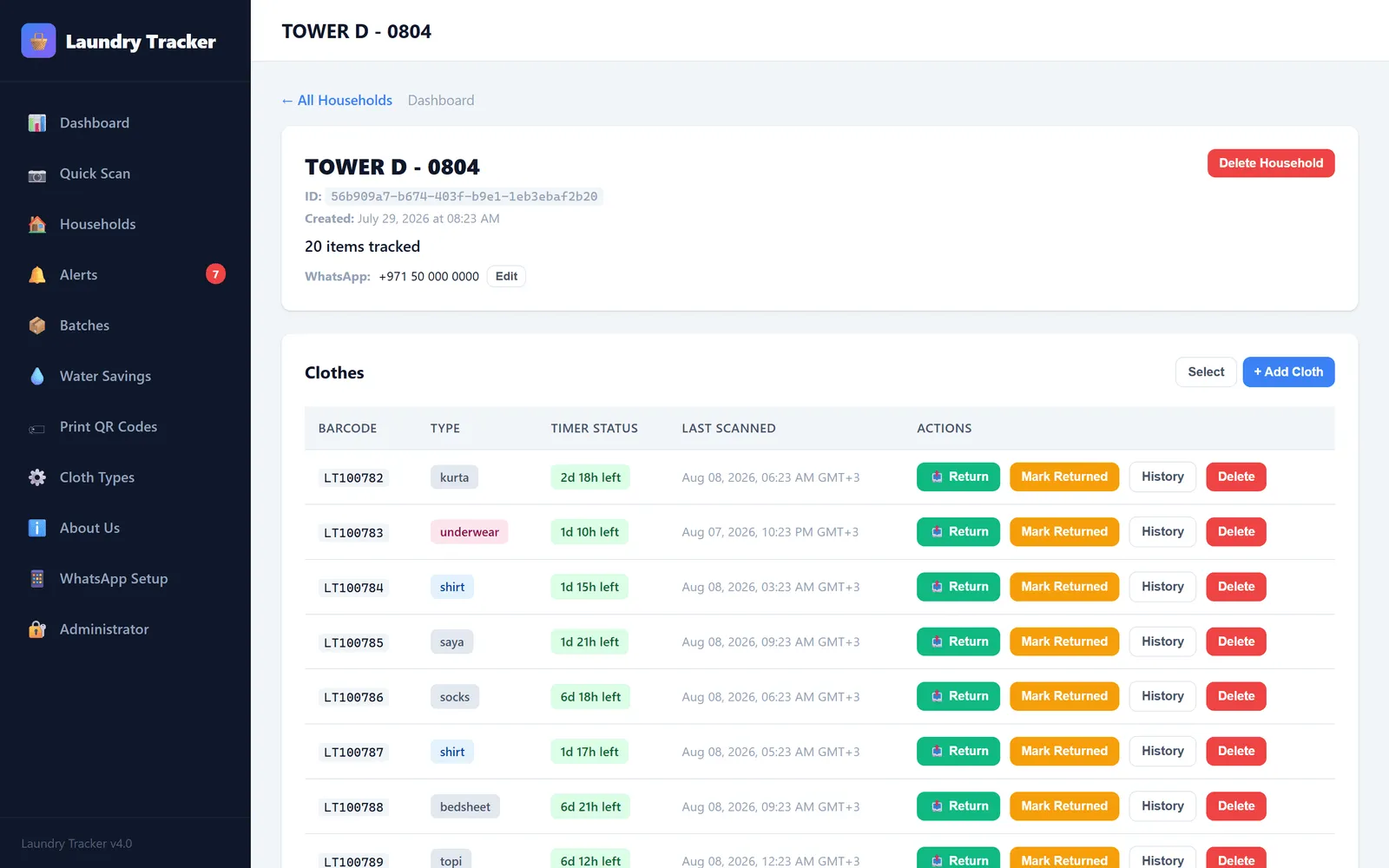
A household page listing its garments in a table: barcode, cloth type, a timer status such as "2d 18h left", when it was last scanned, and per-item actions to return, mark returned, view history or delete. Demonstration data; households are shown as unit numbers.
Screen capture · Every garment is a row: barcode, type, and how long it has been out
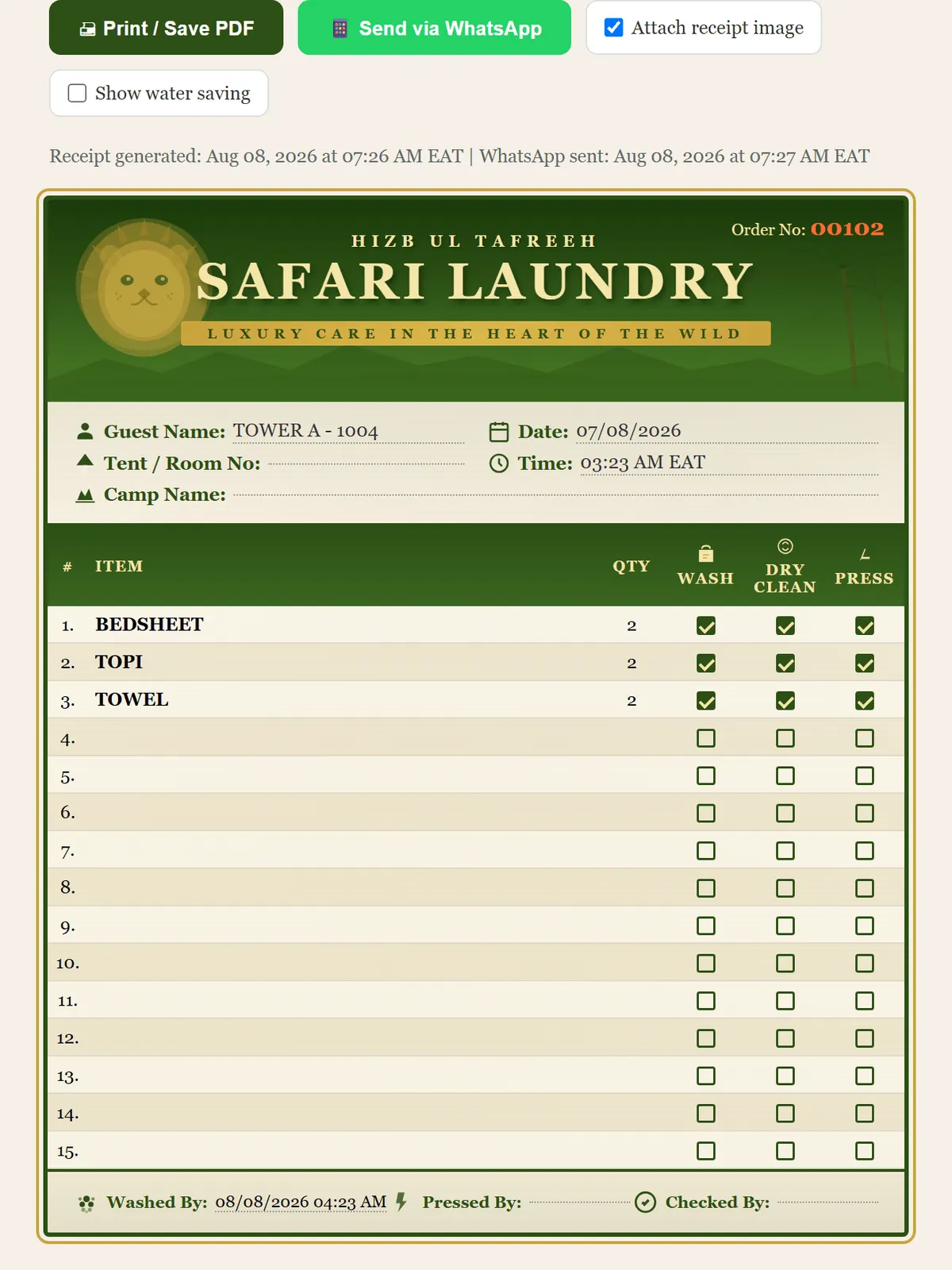
A generated Safari Laundry receipt for order 00102, itemising bedsheet, topi and towel with wash, dry-clean and press ticked. Above it are buttons to print or save as PDF and to send via WhatsApp, and a line recording that the receipt was generated at 07:26 and the WhatsApp sent at 07:27.
Screen capture · The generated receipt, and the WhatsApp send that replaced the phone call
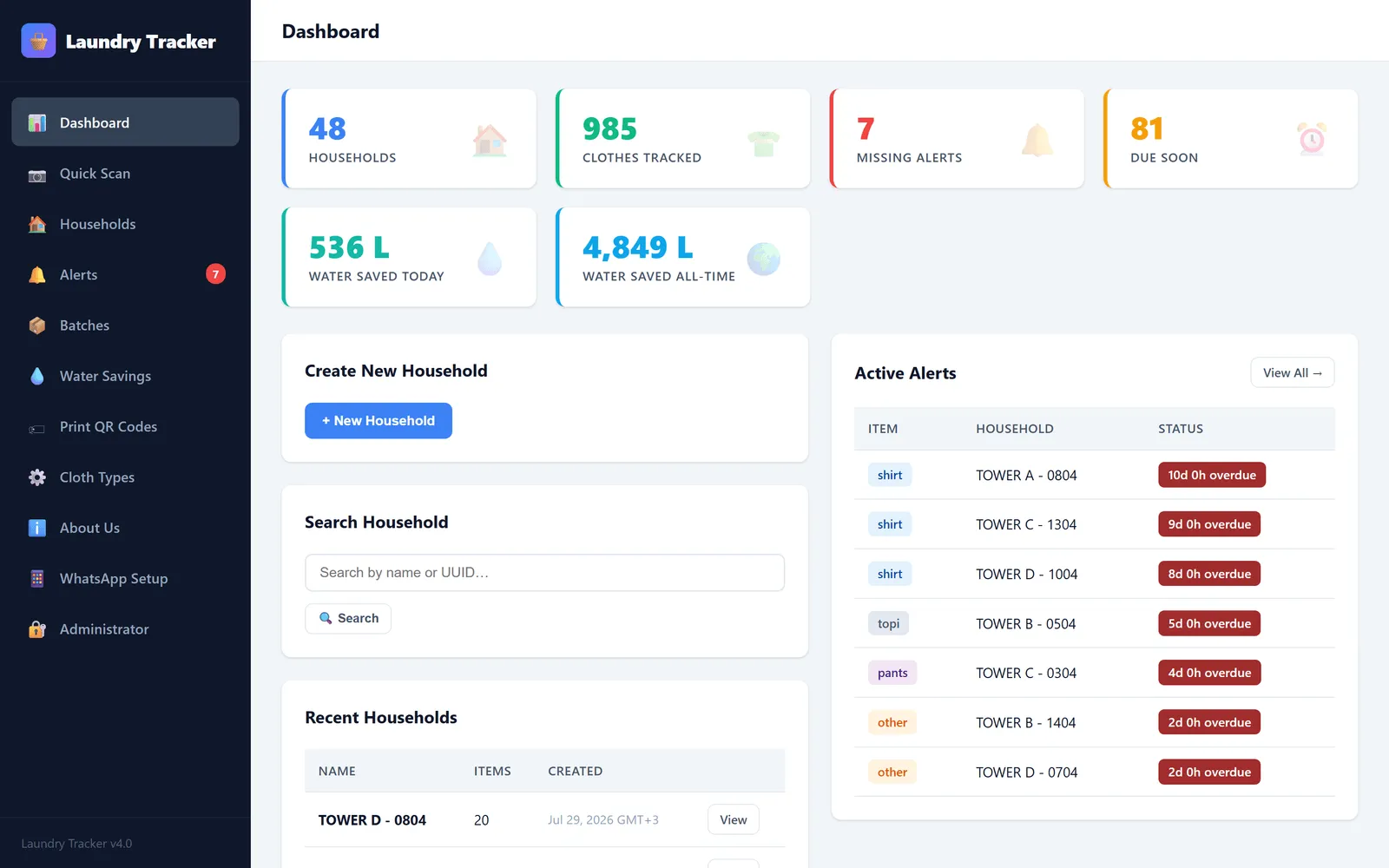
The Laundry Tracker dashboard: tiles for households, clothes tracked, missing alerts, due soon, and water saved today and all-time, beside an active-alerts table listing overdue garments by type and household unit. The figures shown are demonstration data, not the deployed shop's records.
Screen capture · The counter view: garments in flight and what is overdue (demonstration data)
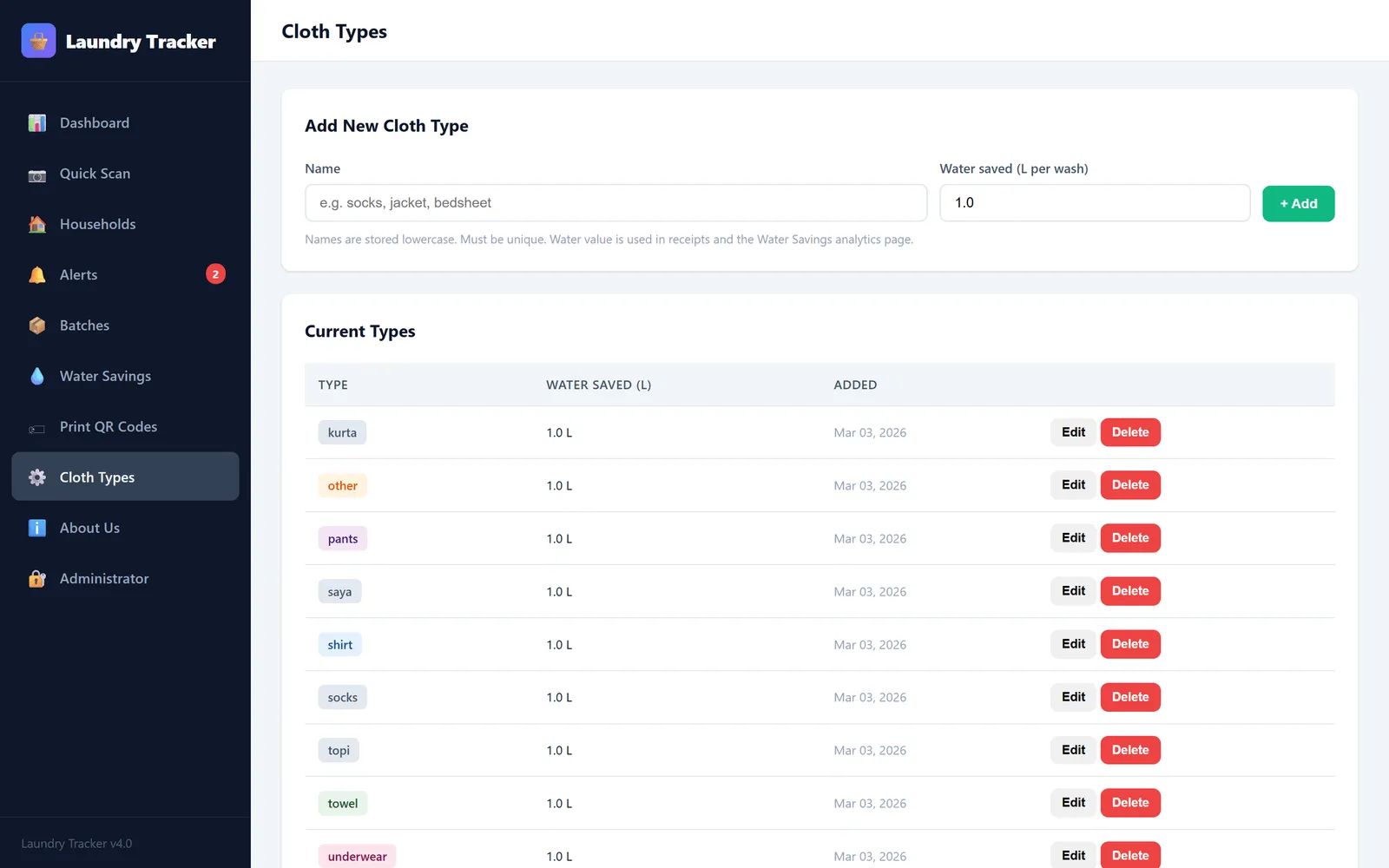
The deployed Laundry Tracker admin, on the Cloth Types page. A table lists the garment types the shop uses (kurta, saya, topi, pants, shirt, socks, towel, underwear), each with a litres-saved-per-wash value and the date it was added. A note explains that renaming a type updates every cloth using it and that editing its water value re-prices history.
Screen capture · Cloth types, the catalogue every receipt and water figure is priced from

How this was built

The spec sheet above lists the stack. This section covers how the work was run, which a screenshot cannot show you.

Where AI did the work

  • Generated the schema, ORM models and validation layer as one coherent pass so the database constraints and the Pydantic schemas enforce the same rules instead of drifting apart.
  • Kept a running progress log across sessions, so each one resumed from the recorded state of the build instead of a guess at it.

The discipline around it

  • Architecture and setup are separate documents from the README: one for someone extending the code, one for someone trying to get it running on the shop counter.
  • Receipt rendering was built against photographs of the receipts the shop already used, rather than a layout I invented.

What stayed human

  • Nothing auto-sends to a customer. The WhatsApp message is composed by the system and released by the person at the counter, because a wrong automated message to a customer is worse than no message.
  • Barcode uniqueness is enforced at the database level rather than in application logic, since a duplicate tag would undo everything the system is for.